
From Excel to Python: Quant Finance Evolution on Wall Street
Python has become the tool of choice for quantitative finance, replacing Excel for handling large datasets, automating workflows, and building complex financial models. While Excel remains widely used for simpler tasks, its limitations - such as row and column caps, sluggish performance with large datasets, and opaque formulas - have pushed finance professionals toward Python's speed, flexibility, and scalability.
Key takeaways:
- Performance: Python processes data 10–100 times faster than Excel, handling millions of rows effortlessly.
- Automation: Python scripts streamline repetitive tasks and integrate with databases, APIs, and cloud systems.
- Customization: Specialized libraries like Pandas, QuantLib, and NumPy simplify complex tasks like derivatives pricing, backtesting, and risk modeling.
- Adoption: Major banks like JPMorgan and Goldman Sachs rely on Python for high-frequency trading platforms and risk analysis, with Python-focused finance roles earning higher salaries.
Python's rise has transformed finance workflows, enabling faster calculations, fewer errors, and advanced algorithmic trading systems. This evolution is critical for minimizing latency in competitive markets.
Quant Finance with Python and Pandas | 50 Concepts you NEED to Know in 9 Minutes | [Getting Started]
Excel vs. Python: Core Differences for Quant Work

Excel vs Python in Quantitative Finance: Performance and Capabilities Comparison
When it comes to quantitative finance, Excel and Python aren't just tools - they represent two fundamentally different approaches to handling data, building models, and automating workflows. The choice between them can significantly impact the efficiency and scalability of your work. Let’s break down how they compare in terms of speed, customization, and automation.
Speed and Data Handling Capacity
Excel has clear limits: 1,048,576 rows and 16,384 columns. While that might seem like a lot, performance starts to nosedive once you go beyond about 100,000 rows. Beyond that, Excel becomes sluggish and calculations lag noticeably. File size caps are another constraint - 2GB for 32-bit desktop versions and 100MB for Excel Online. Python, on the other hand, can handle datasets ranging from millions of rows to terabytes without breaking a sweat.
The performance gap is striking. Python outpaces Excel by 10–100 times for complex quantitative tasks. For example, a simple logic function that took 360 milliseconds in Excel VBA was completed in just 30 milliseconds with plain Python - and an incredible 6 milliseconds using Python’s Numba JIT compilation. Python’s edge grows even sharper with vectorized operations: while Excel processes data cell by cell, Python’s libraries like NumPy and Pandas can process entire datasets simultaneously.
"With 100 lines of Python code, I can plot datasets repeatedly without crashing my system."
– Kelly Kochanski, MIT B.Sc. in Physics and Earth Science
The scalability of Python is evident in real-world applications like JPMorgan Chase’s "Athena" system. As of 2024/2025, Athena runs on 35 million lines of Python code, managing massive-scale trading and risk analysis. Trying to handle that level of complexity in Excel? Not even remotely possible.
Customization Options
Customization is another area where Python shines. Excel locks users into its predefined spreadsheet functions, and while VBA adds some flexibility, it’s notoriously difficult to work with. Python, however, offers virtually limitless customization, thanks to its extensive library ecosystem.
Take Goldman Sachs, for example. They developed GS-Quant, a Python toolkit used by over a thousand quants to test trading strategies and manage risk across various asset classes. Python also excels at creating custom tools, whether it’s financial indicators, risk models, or backtesting frameworks. Libraries like CCXT allow users to connect with more than 100 cryptocurrency exchanges, while QuantLib simplifies complex derivative pricing - tasks that would require convoluted workarounds in Excel. Even performance optimization is more accessible in Python; swapping Pandas for the Rust-based Polars library can speed up data processing by 10–50 times.
Task Automation and System Integration
Automation and integration are where Python leaves Excel far behind. Excel relies heavily on manual inputs and VBA macros, which can make version control and reproducibility a nightmare. Python scripts, on the other hand, are easy to manage with Git, making them far more reliable for collaborative workflows.
"Sorting through a 20-tab spreadsheet to make sure certain values match is a prime process for automation, but VBA is lacking at best."
– Jake from Mito, Creator of Mito
Python’s integration capabilities are another game-changer. It connects effortlessly with modern systems like SQL databases, REST APIs, and cloud platforms. The Asyncio library, for instance, enables trading bots to handle live price streams, calculate signals, and execute orders simultaneously - all without slowing down. Python can even automate Excel itself using libraries like Openpyxl, allowing users to generate reports multiple times a day, a task Excel alone struggles to handle.
Despite these advantages, spreadsheets remain a staple in finance. By late 2024, 58% of finance leaders still relied on spreadsheets as their primary tool. However, over 90% of data science professionals turned to Python for more complex tasks, highlighting its growing dominance in the field.
Python Libraries for Quantitative Finance
Python has become a cornerstone in quantitative finance, largely due to its specialized libraries. These tools streamline complex tasks like data manipulation and derivatives pricing, replacing Excel's cumbersome workflows with faster, more reliable vectorized operations. Python's flexibility allows for the creation of models that would be almost impossible to build in spreadsheets, making it an essential tool for modern quantitative analysts. Let’s dive into some of the key libraries driving Python's impact in this field.
Pandas and NumPy for Data Work
At the core of Python's data-handling capabilities are NumPy and Pandas. NumPy provides multi-dimensional arrays and high-speed mathematical functions, making it ideal for processing price data and performing calculations. Building on NumPy, Pandas has established itself as the go-to library for time-series analysis. It simplifies working with structured financial data, such as OHLC (Open, High, Low, Close) tables, and automates tasks like data cleaning, merging, and resampling. What might take hours of manual effort in Excel, such as calculating rolling averages or aligning datasets with different timeframes, can be done with just one command in Pandas.
"Pandas is built on top of NumPy and is used extensively for time series analysis, a key component of quant trading."
– QuantStart [4]
For even greater efficiency, VectorBT, a vectorized backtesting library, outperforms standard Pandas operations, running up to 73 times faster for array calculations [6]. Another game-changer is ArcticDB, a time-series database designed specifically for DataFrames. Open-sourced by hedge fund Man Group in 2023, ArcticDB delivers a 5× or greater speed improvement over standard Pandas workflows when handling large datasets. Man Group employs ArcticDB across its front-office operations, including market data analysis, risk assessment, and cost analytics [6].
QuantLib for Financial Models
When it comes to building financial models, QuantLib stands out. This library is designed for advanced tasks like derivatives pricing, yield curve construction, and risk management. Instead of manually creating error-prone formulas in Excel, QuantLib offers standardized frameworks for complex calculations. For example, it can price European options using the Black-Scholes-Merton model, value bonds, and handle interest rate derivatives.
"QuantLib, a comprehensive library for quantitative finance, brings sophisticated financial techniques to Python users."
– Kaan Alper Ucan, PhD Candidate and Analyst [3]
QuantLib also calculates Greeks (Delta, Gamma, Vega), which measure how option prices respond to changes in factors like the underlying asset or volatility. Implementing these calculations in spreadsheets would be a daunting task, but QuantLib makes them accessible and reliable [7].
Matplotlib and Seaborn for Charts
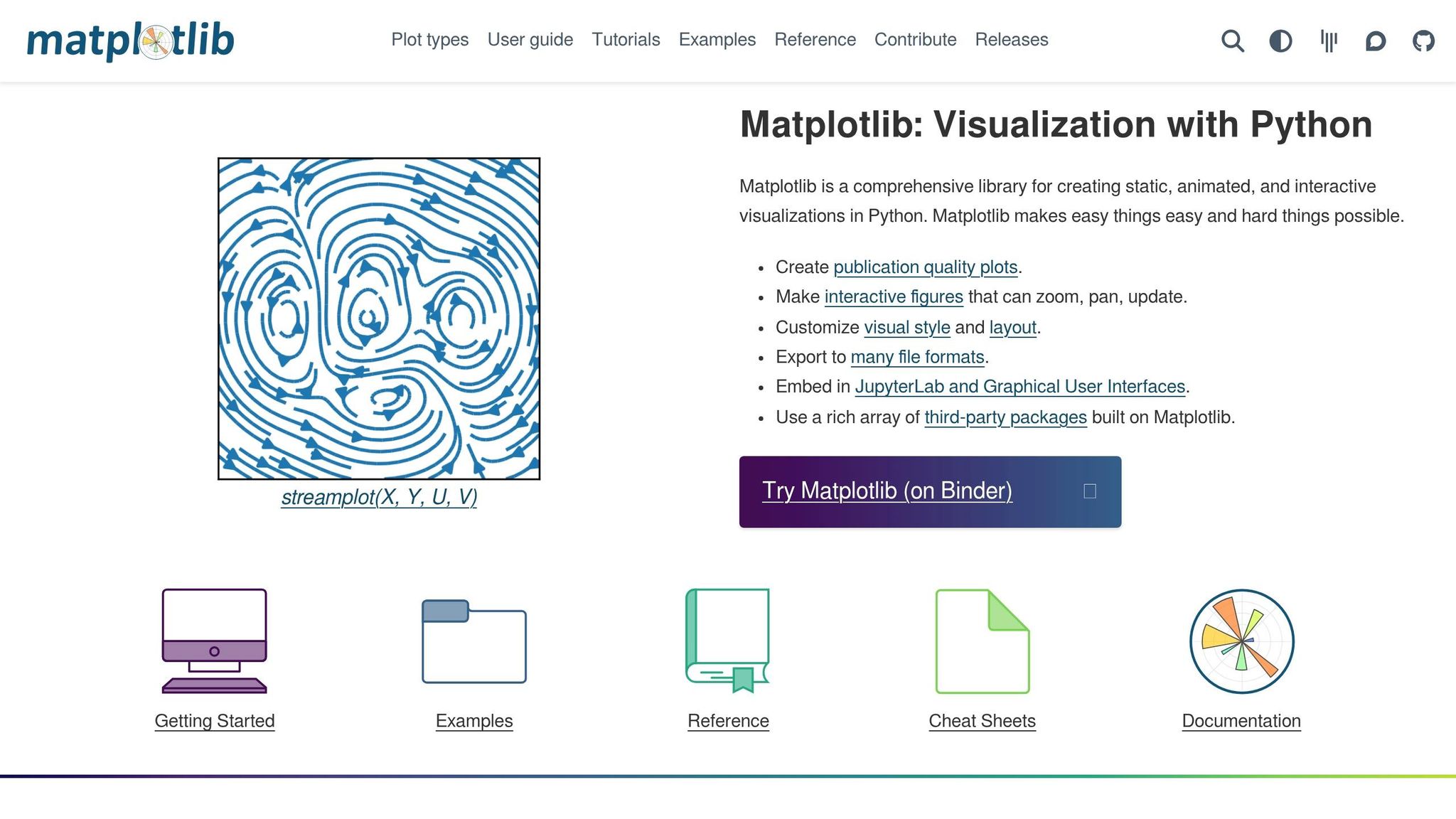
Visualization is crucial for turning raw data into actionable insights, especially for traders and analysts making real-time decisions. Matplotlib is a reliable choice for creating high-quality static charts, such as price series, cumulative returns, and performance graphs used in research and reports. For more interactive visualizations, Plotly allows users to explore data dynamically, with features like zooming, filtering, and candlestick charting. Meanwhile, Seaborn, built on Matplotlib, excels at statistical graphics. It’s perfect for tasks like analyzing return distributions or creating detailed heatmaps to uncover relationships between assets or detect anomalies.
Choosing the right tool depends on your needs: use Matplotlib for static, polished documentation, and Plotly for interactive dashboards that invite deeper exploration.
How Python Changes Work for Traders and Analysts
Learning Python for Finance Careers
Python has reshaped the way financial professionals approach their work, making programming skills a must-have in the industry. Today, knowing Python syntax, loops, conditionals, functions, and regular expressions is as vital as mastering Excel formulas once was. On top of that, tools like Pandas for handling time-series data and NumPy for advanced mathematical operations are now part of the essential toolkit for finance professionals [4][8].
Financial modeling has also evolved. Professionals now rely on specialized libraries like TA-Lib, which offers over 150 technical indicators such as RSI and MACD, and use backtesting frameworks to test strategies against historical data. These tools bring a level of precision and efficiency that was previously unattainable [4].
"Backtesting any investment strategy with Python is something a motivated knowledge worker can master in a weekend."
– Rational Growth Editorial Team [5]
For those just starting, the Anaconda distribution is an excellent entry point. It comes preloaded with over 7,500 packages, providing a ready-to-use environment for data science tasks [8]. Mastering these basics allows professionals to streamline their workflows while reducing errors significantly.
Faster Workflows and Fewer Errors
Once financial professionals get the hang of Python, the efficiency gains are immediately noticeable. Python can handle complex financial tasks 10 to 100 times faster than Excel. For example, when paired with Numba's JIT compilation, Python executes calculations up to 60 times faster than Excel VBA - processing tasks in just 6 milliseconds compared to 360 milliseconds [2]. Tasks that might take hours in Excel, like recalculating financials for 200 issuers, can be completed in mere minutes with Python [2].
Beyond speed, Python also delivers greater accuracy. Scripts provide a clear audit trail, making it easier to trace and debug every step of an analysis. This is a huge improvement over trying to untangle Excel's often opaque cell formulas [9]. Additionally, version control systems like Git ensure consistency and reliability in live trading environments, eliminating the risks of manual data entry errors [2].
Building Algorithmic Trading Systems
Python's ability to scale and integrate makes it the go-to choice for building automated trading systems - something Excel simply can't handle. Python can process massive datasets, from megabytes to terabytes, enabling traders to backtest strategies against years of detailed, tick-by-tick data. This level of analysis helps validate ideas before putting real money on the line, a task that would push Excel beyond its limits [2].
Its integration capabilities are another game-changer. Python can connect seamlessly to broker APIs for real-time trade execution, pull data from market APIs, and interact with SQL databases - all without the manual imports that Excel often requires [2][9]. Major financial institutions now use millions of lines of Python code to power their trading and risk management systems. This shift hasn’t just transformed workflows; it’s also reflected in salaries. Python-focused roles in finance average $87,750 annually, compared to $48,750 for Excel-based roles [2].
Conclusion: Python's Impact on Modern Quant Finance
The move from Excel to Python marks a major shift in how financial markets are analyzed and trades are executed. Unlike Excel, which caps datasets at about a million rows, Python can handle massive datasets effortlessly, allowing for the analysis of years' worth of high-frequency data without losing detail or speed [1].
This shift has reshaped the way the industry approaches quantitative finance.
"Python has democratized quantitative finance, enabling both institutional investors and individual traders to implement sophisticated strategies that were once the exclusive domain of hedge funds and investment banks." – Morwenna Zdanowicz, Finance professional, Quantos Asset Management [11]
Python’s ecosystem is packed with specialized tools, from advanced derivatives pricing libraries to robust frameworks for backtesting. A prime example is Tenth Meridian, which switched its production trading system from Pandas to Polars in February 2025. This change cut pipeline processing times from 22 minutes to just 90 seconds, turning overnight research into something that could be done during a coffee break [10].
While Excel still serves well for simpler tasks, Python excels at handling the complex calculations, algorithmic trading, and data-heavy backtesting that modern quantitative finance requires. This evolution has created a divide on Wall Street between traditional analysts and those leveraging Python for cutting-edge, data-driven strategies.
FAQs
When should I still use Excel instead of Python?
Excel works best for smaller datasets (typically under 100,000 rows), quick calculations, and building interactive dashboards. It shines when simplicity and visual presentation are the main goals. While Python is powerful for handling large-scale and complex analyses, Excel remains an efficient option for straightforward, visually-driven tasks.
What Python skills should I learn first for quant finance?
To get started, set up your workspace with essential Python libraries like pandas, NumPy, and Matplotlib. These tools are crucial for data analysis and visualization, allowing you to dive into quantitative finance effectively.
Focus on mastering key skills such as analyzing historical market data, backtesting trading strategies, and automating trading workflows. Begin by learning how to manipulate data, create visualizations, and test basic strategies. This foundation will help you develop a solid understanding of Python's role in quantitative finance.
How do I connect Python to live market data and broker APIs?
To link Python with live market data and broker APIs, the Interactive Brokers (IBKR) API is a popular choice for automated trading. Here's how to get started:
- Set Up an IBKR Account: You'll need an active Interactive Brokers account to access their API tools.
- Install a Python API Library: Libraries like
ibapiorib_insyncmake it easier to interact with the IBKR API. - Connect to Trader Workstation (TWS): Your Python script will communicate with TWS, enabling you to access market data and execute trades.
Once connected, you can subscribe to live market data feeds, place and manage orders, and handle trades in real time. Be sure to incorporate solid error-handling practices to address any connection issues effectively.


